

Users may receive requests to display the Specialist’s QP or Provider Number on Private Invoices or Quotations.
Currently, the system does not automatically display the Provider Number on Private Invoices and Quotations. A feature request ticket has already been raised for this enhancement.
In the meantime, a workaround is required to display the Specialist’s QP or Provider Number on a private invoice.
Steps to follow
As a temporary solution, you may customize the invoice template to manually include the Specialist Name and Provider Number.
Follow the steps below:
- Go to Environment Settings.
- Select Print Settings.
- Look for Invoice to Patient (Basic).
- Click Duplicate to Edit.
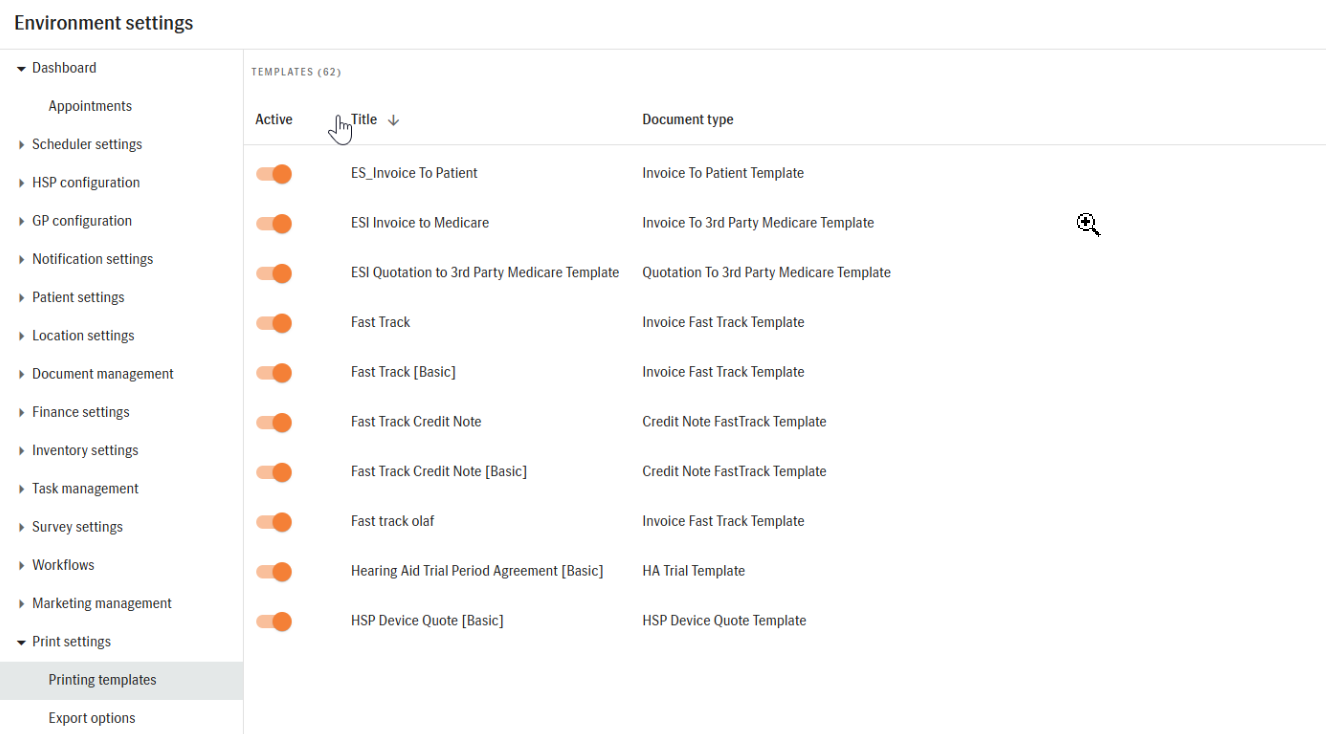
- This allows you to create a modified version without affecting the original template.
- Add the Specialist Name and Provider Number field:
- Drag Label (A) to the area where you want the Specialist Name and Provider Number to appear.
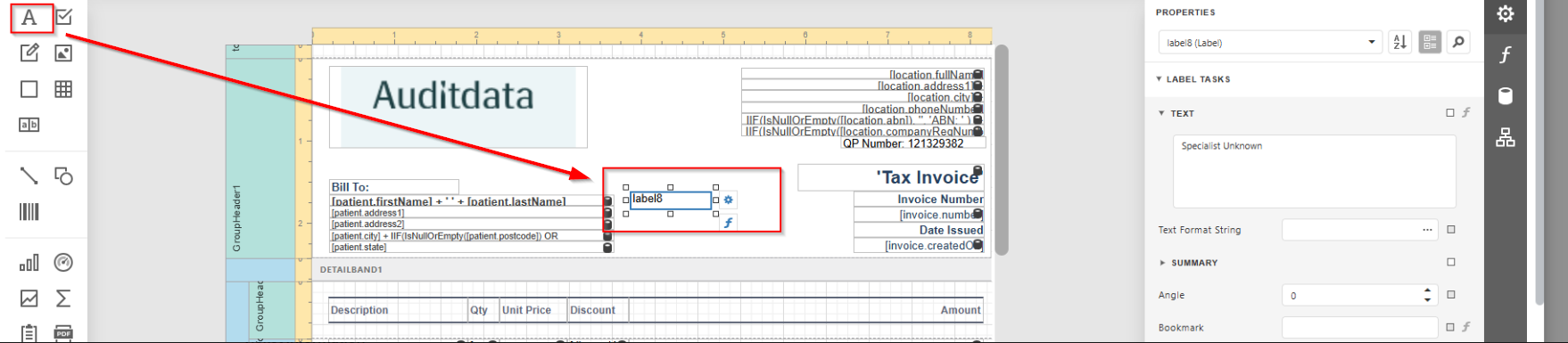
- Position it according to your preferred layout (for example, in the middle section of the invoice).
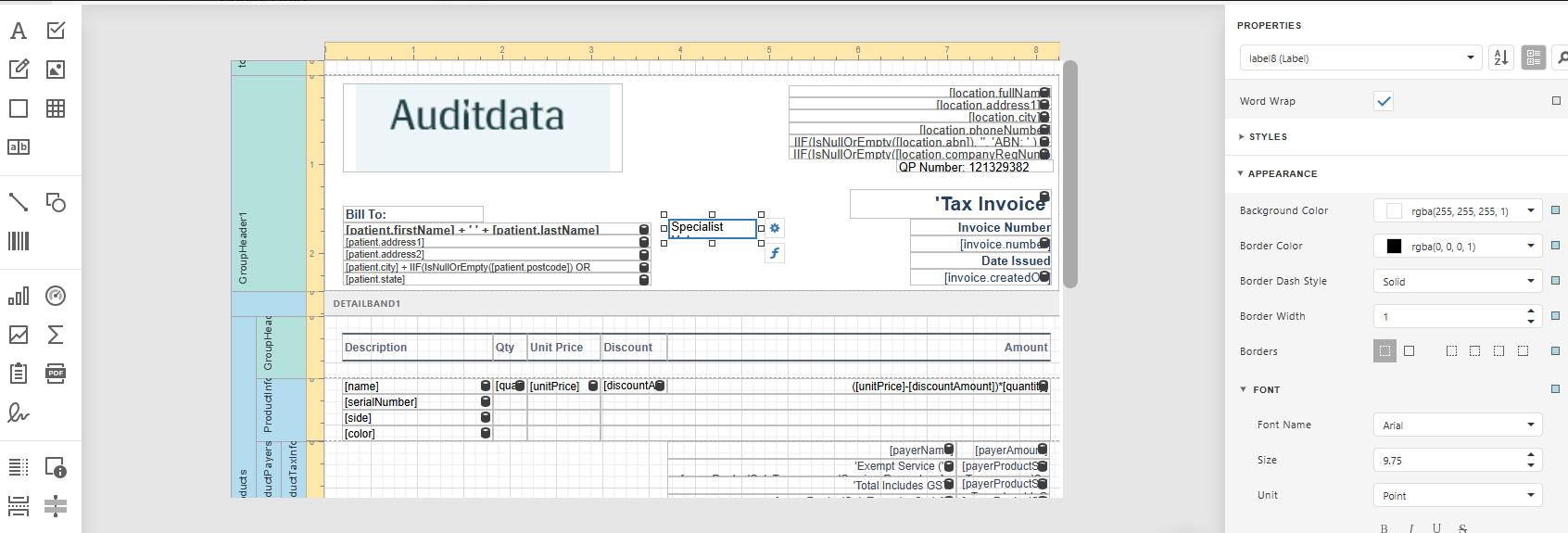
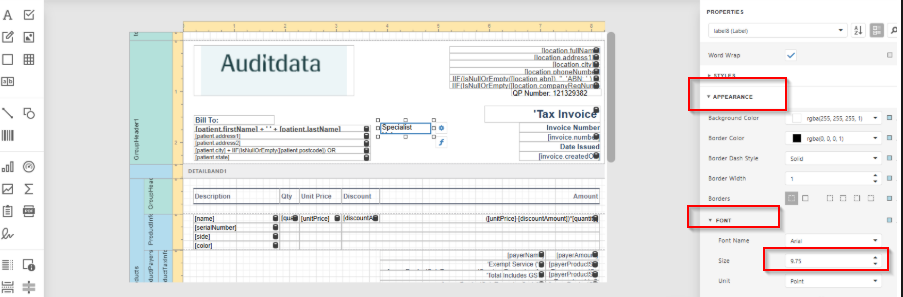
- Set the font size to 8.
- This ensures the formatting matches the rest of the invoice and maintains a clean layout.
- Click Preview to review the invoice layout.
- Confirm that the Specialist Name and Provider Number are displayed correctly.
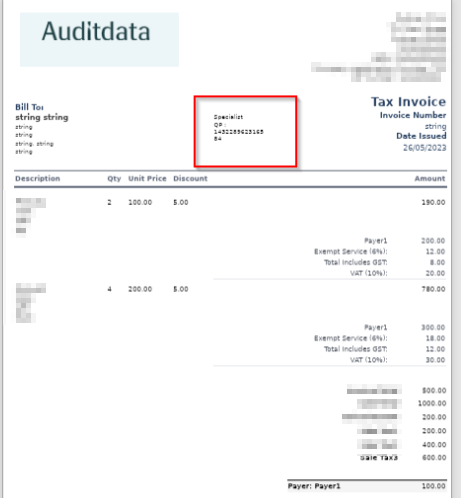
- Once confirmed, click Save.
Note: To show the correct Provider Number, ensure the invoice is created manually under the respective Specialist’s name.
Expected Outcome
After completing the steps:
- The customised invoice template will display the Specialist Name and Provider Number.
- Private invoices created using this template will reflect the added information.
- The invoice layout will remain consistent and properly formatted.
Escalation Criteria
Escalate the issue to second-level support if:
- The Duplicate to Edit option is not available.
- The label field cannot be dragged or positioned.
- The invoice preview does not reflect the changes after saving.
- The Provider Number does not display correctly despite following the steps.
For escalation, provide:
- System name and version.
- Screenshot of the Print Settings configuration.
- Screenshot of the previewed invoice.
- Confirmation that the invoice was created under the correct Specialist’s name.
- Steps already attempted.
Additional Notes
- A feature request ticket has already been submitted to allow automatic display of Provider Numbers on Private Invoices and Quotations.
- Until the feature is implemented, manual template customization is required.
- Always duplicate the template before editing to preserve the original version.
- Ensure correct Specialist selection when creating the invoice to avoid displaying incorrect Provider details.